

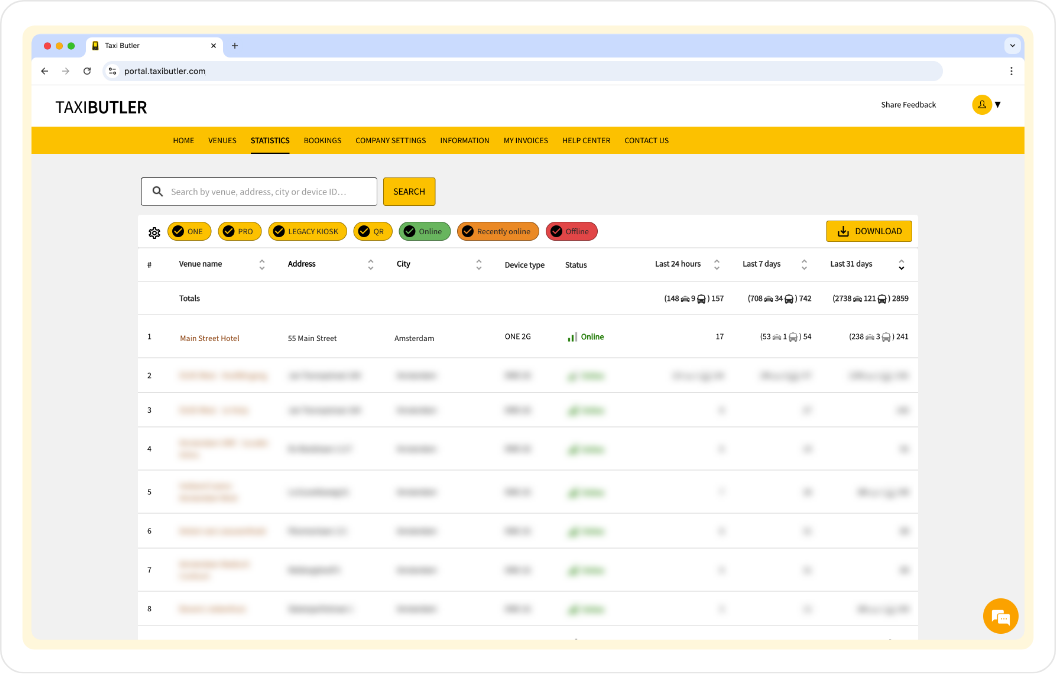
The name of the location where the device is installed.
The street address of the venue.
The city in which the venue is located.
A unique identifier assigned to the Taxi Butler device installed at the venue.
Specifies the model of the device.
Indicates the current operational status of the device (e.g. online, recently online, offline).
You can hover over the Status to see more information.
The total number of bookings processed on the device in the past 24 hours.
If applicable, you will also see how many bookings have been made using the secondary booking mode.
The total number of bookings processed on the device in the past 7 days.
If applicable, you will also see how many bookings have been made using the secondary booking mode.
The total number of bookings processed on the device in the past 31 days.
If applicable, you will also see how many bookings have been made using the secondary booking mode.